
IPTV Smarters Pro Installation Guide :
Step 1: Choose your list type
Open the application and choose the method you want to use to add the playlist. We recommend using Xtream Codes API.
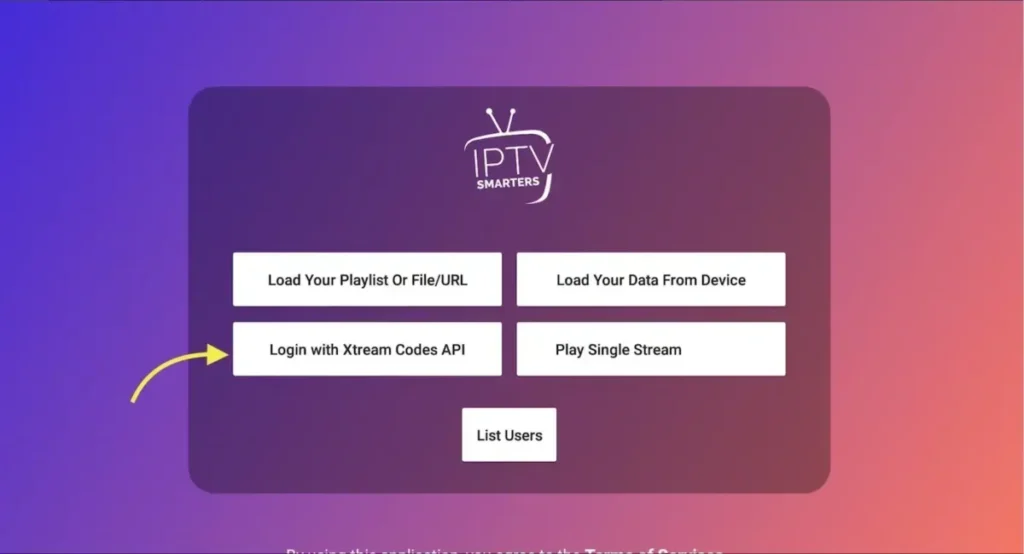
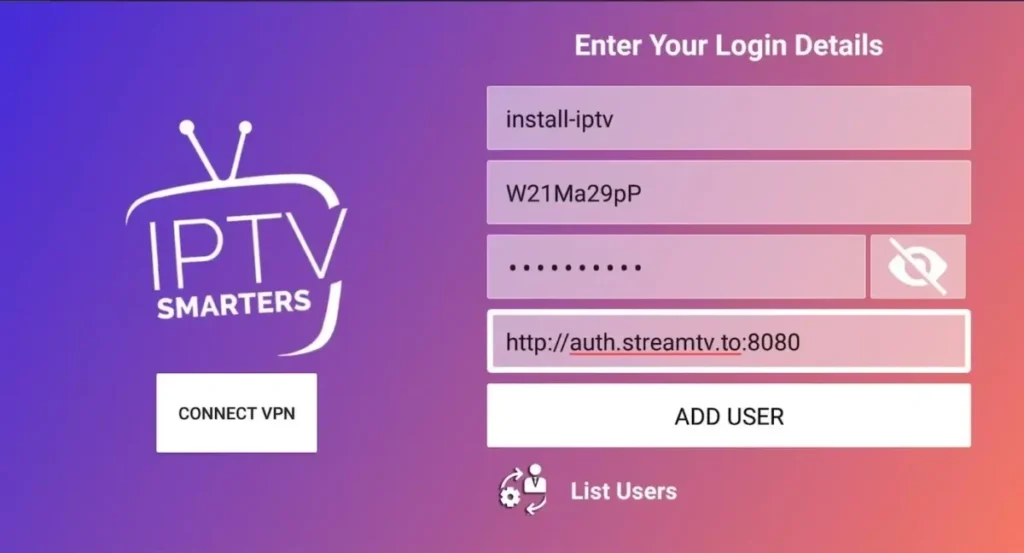
Step 2: Enter Xtream data
Choose a name for your list (this can be random). Then enter your Xtream Codes username, password, and server URL. Then click ADD USER.
💡 Tip: you can also extract the Xtream Codes API data from your M3U link (see the FAQ).
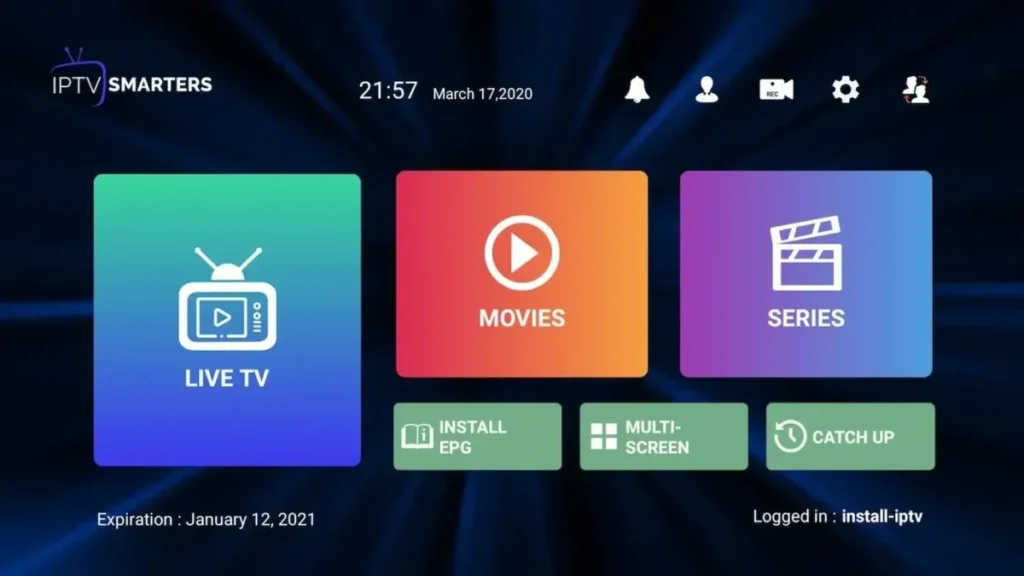
Step 3: You are logged in
Congratulations! You are now successfully logged in to Smarters Pro. From here, you can watch Live TV, VOD, and series via your Premium subscription.
Frequently asked questions (FAQ)
How do I find Xtream Codes data?
The Xtream Codes API contains three elements: Server URL, Username, and Password. You can obtain this information from the M3U link of your subscription.

How do I install Smarters Pro on Fire TV / Fire Stick?
Follow the steps below to install IPTV Smarters Pro on your Fire TV or Fire Stick:
Install the Downloader app on your Amazon Fire TV.
Go to Settings → Device → Developer Options, and turn ON Apps from Unknown Sources.
Open the Downloader app and type the download URL of the IPTV Smarters Pro APK in the white field.
👉 With this simple guide, you can use Smarters Pro to easily stream your favorite channels, movies, and series through your Premium subscription. This is the ideal choice for anyone looking for the best Netherlands experience.