
Formuler Z7+ installation guide :
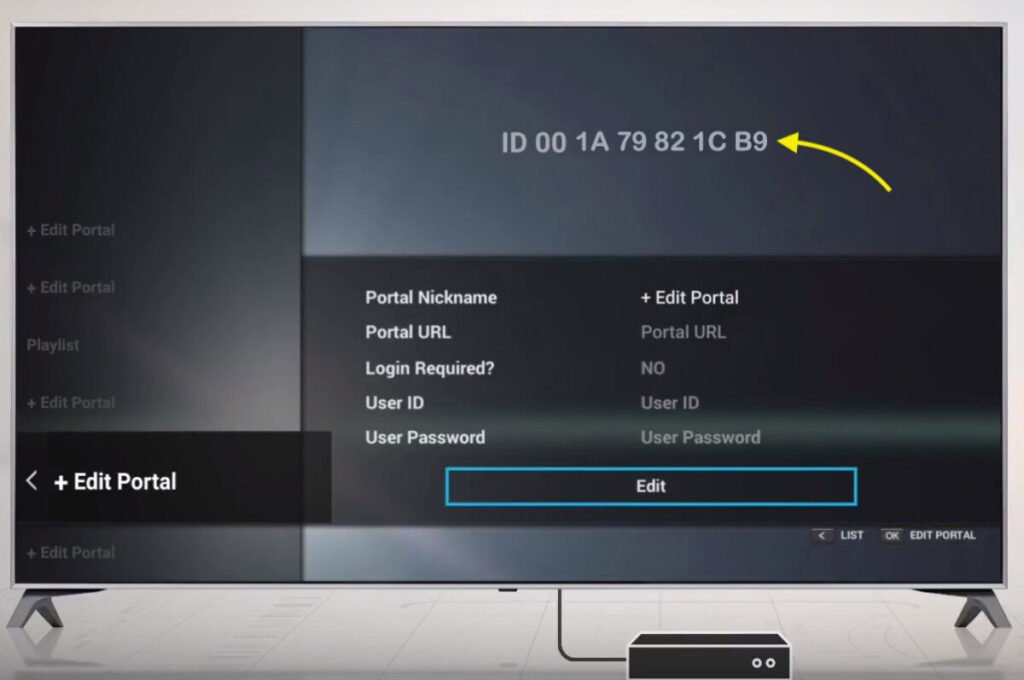
Step 1: Find your MAC address
Open Kodi and select the Add-ons menu.
Open the app MyTV Online.
At the top of the section ID do you find yourself MAC address.
👉 You must provide this MAC address to your provider or enter it yourself in your dashboard (MAG section).
Step 2: Add the Portal URL
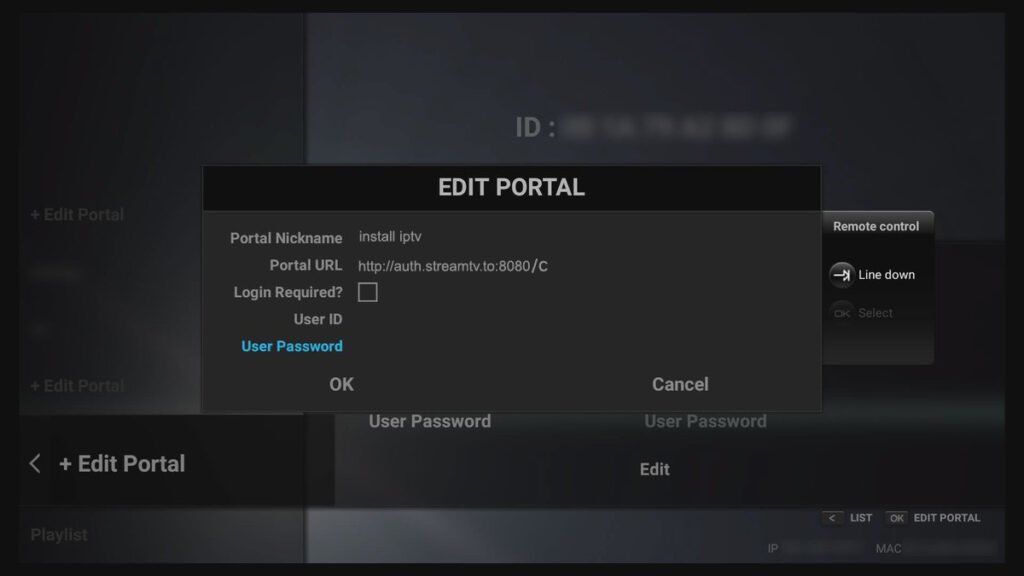
- Click on + Edit Portal to add a new Portal.
- Select a Portal name.
- Enter the Portal URL in which you Premium Dutch Subscription have received.
After saving, the connection is established and you have access to thousands of TV channels, VOD, and series through your Dutch subscription.
Frequently asked questions (FAQ)
1. Does this manual only work for Formuler Z7+?
No, this installation manual is suitable for all devices in the Formuler Z7 series.
2. What information do I need to install |P-TV?
You will need your MAC address and the Portal URL that you receive with your Premium USA subscription.
3. Can I use other IPTV players?
Yes, in addition to MyTV Online, you can use apps such as Smarters Pro, TiviMate, or Kodi. However, we recommend using the built-in MyTV Online app for Formuler Z7+ as standard.