
Hot Player installation guide :
Samsung Smart TV:
- Open the Samsung App Store.
- Search for HotPlayer.
- Install the app and launch it.
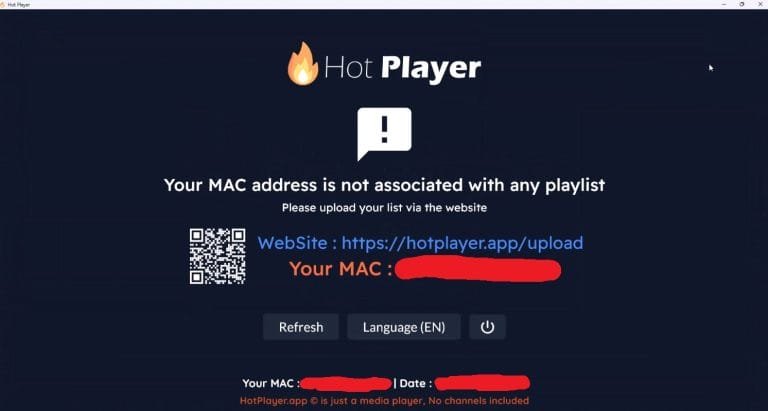
- You will immediately see your MAC address on the screen.
LG Smart TV (WebOS):
- Open the LG Content Store.
- Search for HotPlayer App.
- Download and install.
- Start the app and note down your MAC address.
Android & Android TV:
- Open the Google Play Store.
- Search for HotPlayer App and install it.
- Start the app and you will immediately see your MAC address / device code.
- 👉 Direct link: HotPlayer in Google Play
Fire TV & Fire Stick:
- Install the app via Downloader or the Amazon App Store (if available:
ℹ️ Direct download link ). - Go to Settings > My Fire TV > Developer Options.
- Enable Apps from unknown sources.
- Download and install the Hot Player APK.
- Start the app and note down your MAC address.
Windows / PC:
- Visit the official website or the Microsoft Store.
- Download en installeer de Hot Player App.
- Start the app and note down your apparaatcode / MAC-adres.
iOS & macOS (iPhone, iPad, MacBook) :
- Open the App Store.
- Search for Hot Player App and install it.
- Launch the app to get started. MAC address te zien.
Roku :
- Open the Roku Channel Store.
- Search for Hot Player and install it.
- Start the app and your device code will appear.
Link playlist to Hot Player App
1. Go to the official Hot Player upload/activation portal: hotplayer.app.
2. Enter your MAC address.
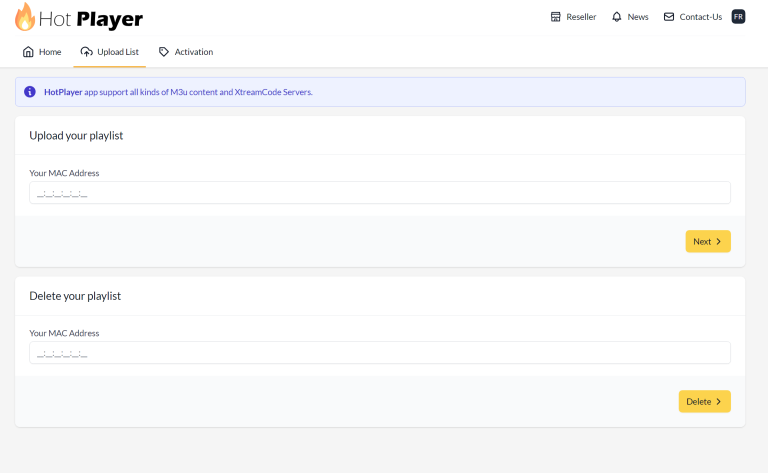
3. Add your M3U link or Xtream Codes API.
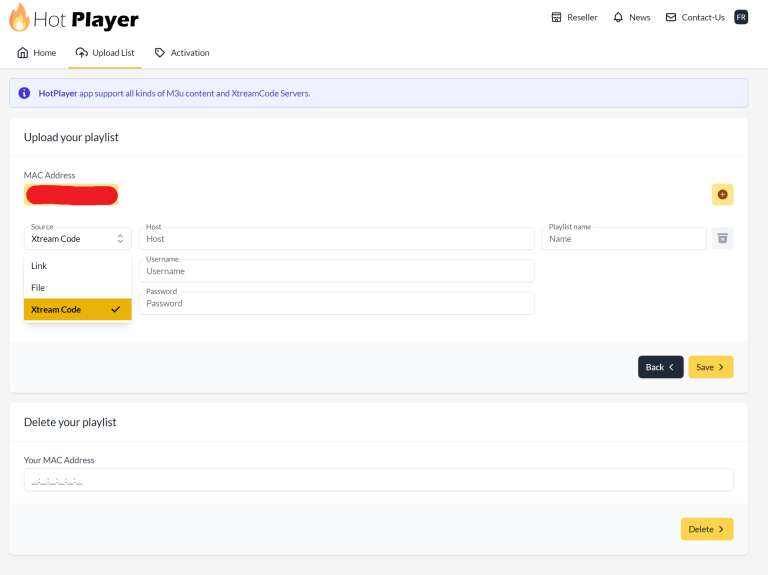
4. Confirm and activate.
5. Return to the app and click Refresh/Reload.